

The standard pages on an actor website cover what every actor needs. Custom pages cover what only you need. Add one, name it, write on it, and it appears in your menu like any other page.
Any page on your actor website can now carry its own thumbnail. It shows up wherever that page is listed: card layouts on the home page, image menus on the designs that use them, and the internal previews in your admin.

Paste a link to your actor website into a message, a post or an email and the platform builds a little preview card: an image, a title, a line of text.

Until now your whole site shared one search title and one description. Every page of your actor website can now have its own, written by you, in a field on the page itself.
Grab a page in your pages list, drag it, drop it. That is the whole feature.

Pages and navigation used to be two different ideas in the admin, which meant creating a page and then going somewhere else to make it visible. They are now one screen.

Every text area in the admin now has a real editor attached to it. You can bold a word, add a link, build a list and set a subheading, and what you see while typing is what appears on your actor website.
Your profile is the source of almost everything on your actor website. It fills your bio page, your header, your contact details, your email signature and your press kit.
If you logged into your free actor website this week and everything felt quicker, that is not your imagination. The admin no longer reloads the page when you move between sections.

Today we are switching on a completely rebuilt admin for every free actor website on the platform.
I've heard some of you saying how you would like to be able to visually see all the new templates before you commit to signing up with Web For Actors membership... Well, now you can.
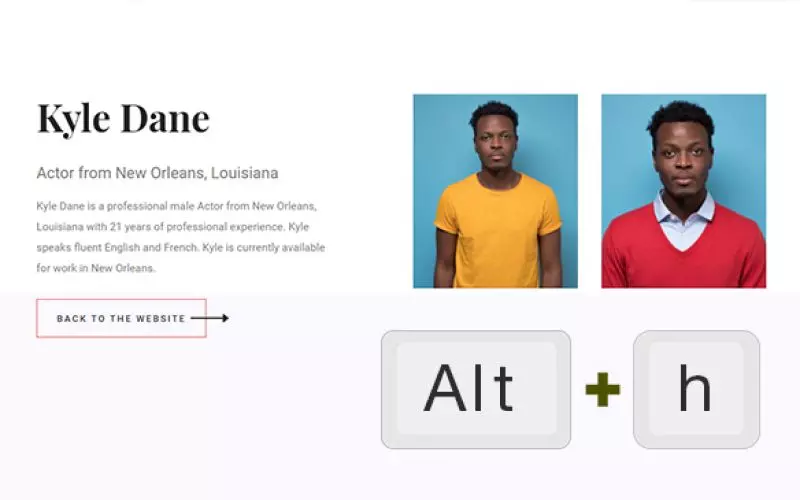
Just as yesterday, we're not sending out any emails today, but we still want to share this new tip we created for you as well as the updated version of headshot viewer.Did you ever need a quick page that shows your headshots only?